27. HPM EtherCAT to CAN Gateway
27.1. Depend on SDK1.10.0
27.2. Overview
This example program utilizes the EtherCAT and CAN communication functions of the HPM6E series chips, and implements the EtherCAT-to-CAN communication function based on the ETG 5001.5000 EtherCAT-to-CAN protocol.
Features:
Based on the ETG 5001.5000 EtherCAT-to-CAN protocol; refer to the 5000 protocol in ETG5001_3_V0i1i2_S_D_MDP_Gateways for detailed protocol content.
Supports CAN parameter configuration.
Supports two transmission modes: Trigger mode and Cycle mode.
Supports transmitting or receiving messages in full-frame or byte-wise manner.
Supports remote frames, standard frames, and extended frames.
Supports USB SH command line.
Supports the module slot method for dynamically modifying PDO mapping.
27.3. Example Program Description
27.3.1. Environment
27.3.1.1. SDK Version
V1.10.0
27.3.1.2. BOARD
HPM6E00EVK
27.3.2. Software Configuration
27.3.2.1. A. SSC Code Generation
Create a new SSC project and select Gateway2
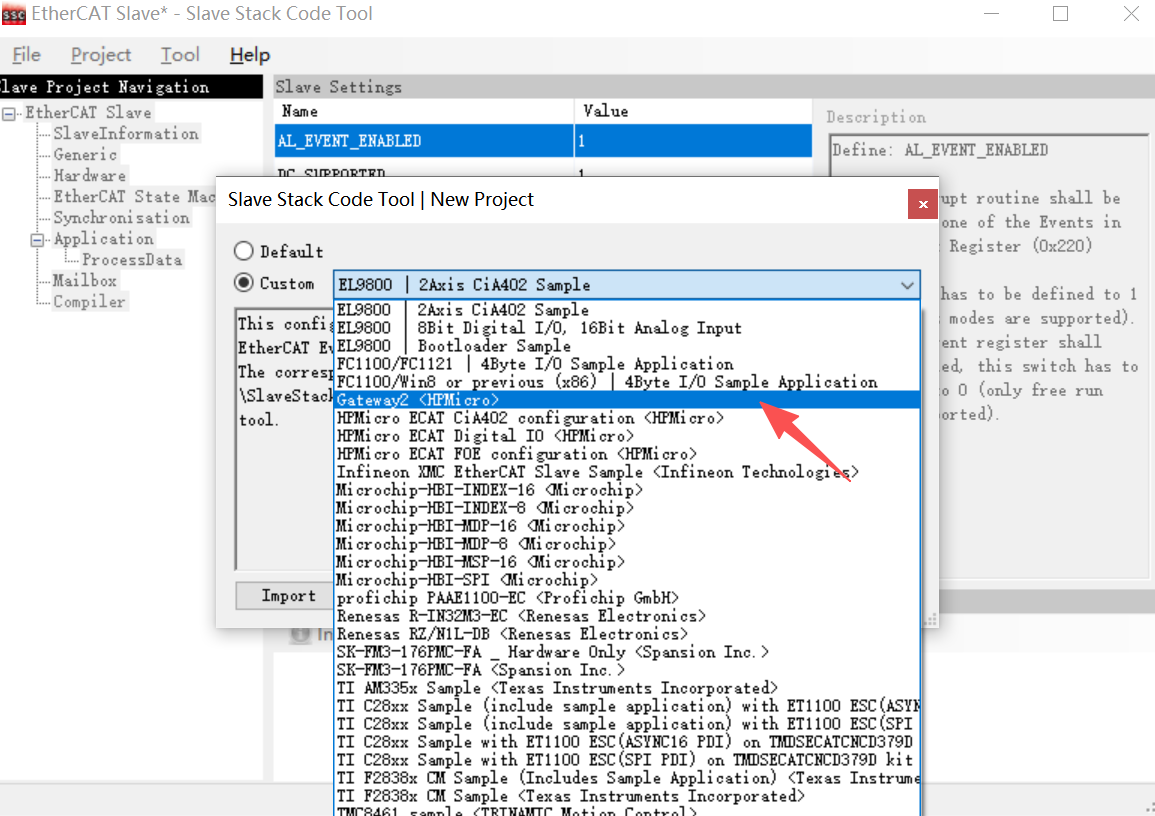
If the Gateway2 configuration is not available, click Tool->Options->Configurations in sequence and import software/apps/ecat/gateway_apps_config.xml.
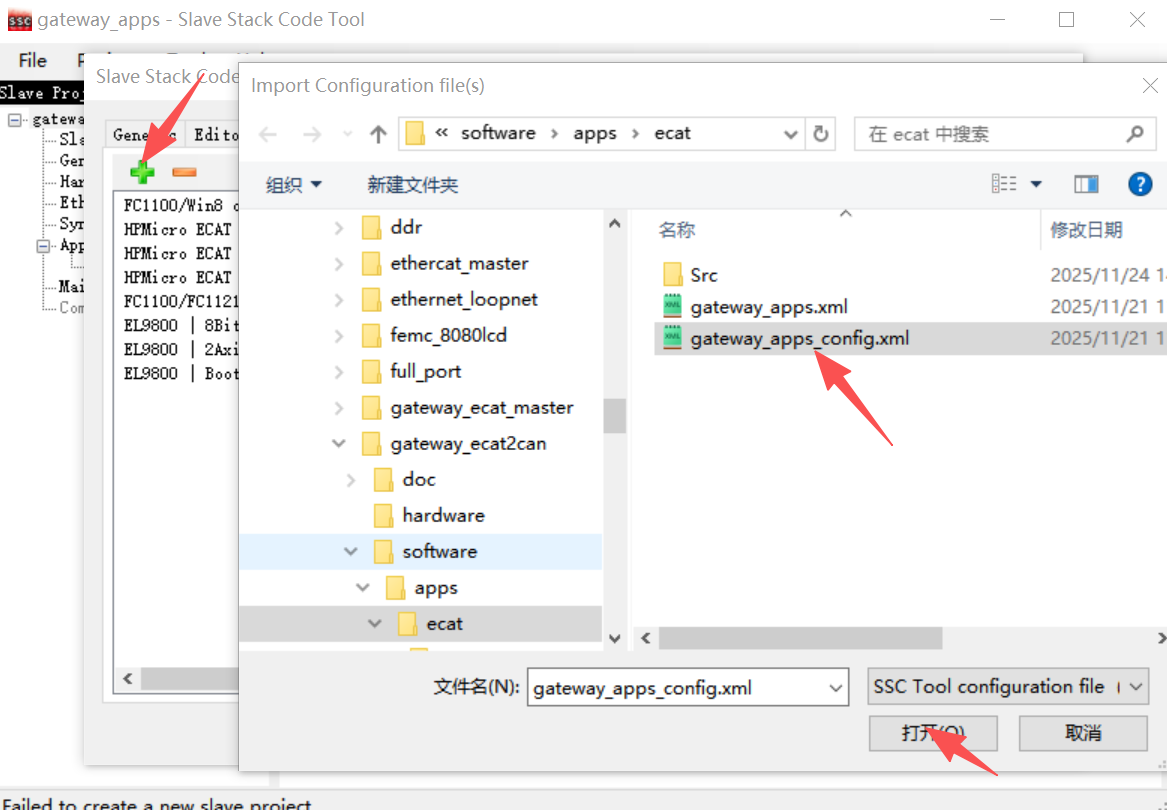
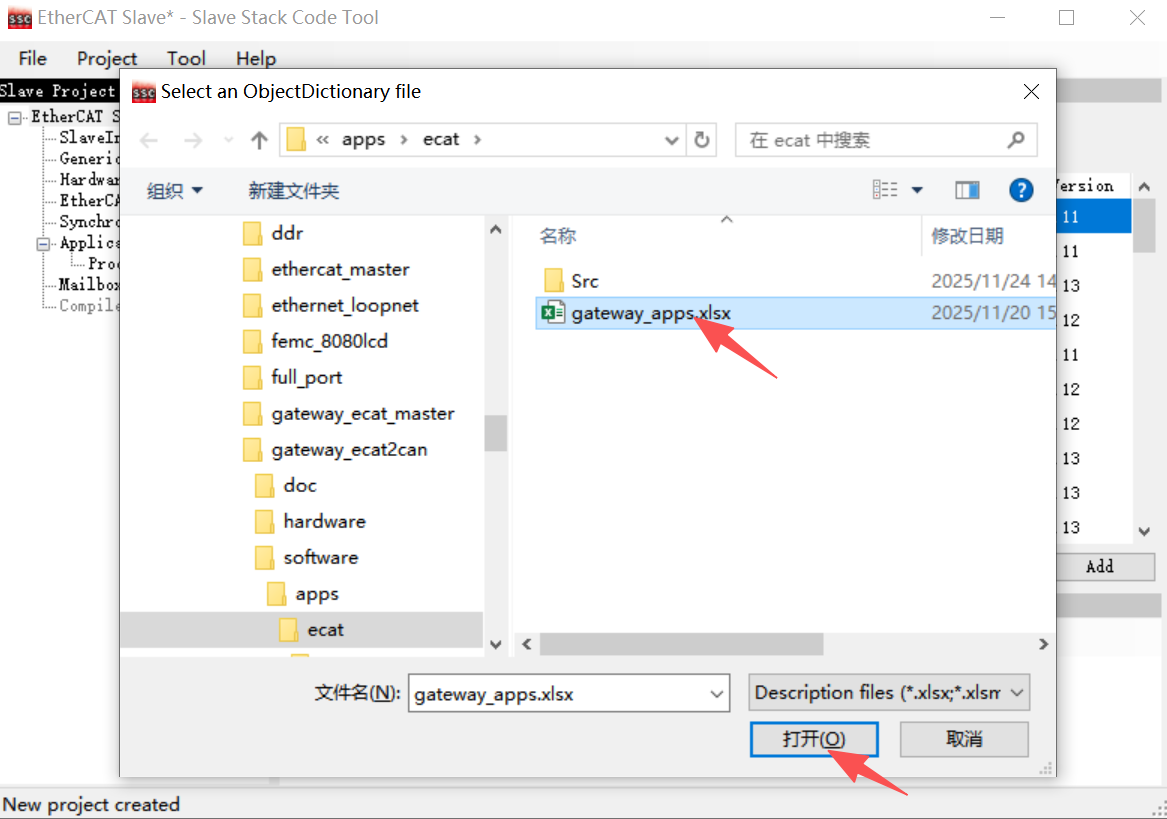
Click Tool->Application->Import in sequence and import software/apps/ecat/gateway_apps.xlsx
Generate SSC code: click Project->Create new Slave Files in sequence and generate the gateway_apps.xml file.Source Folder:hpm_apps\apps\gateway_ecat2can\software\apps\ecat\Src
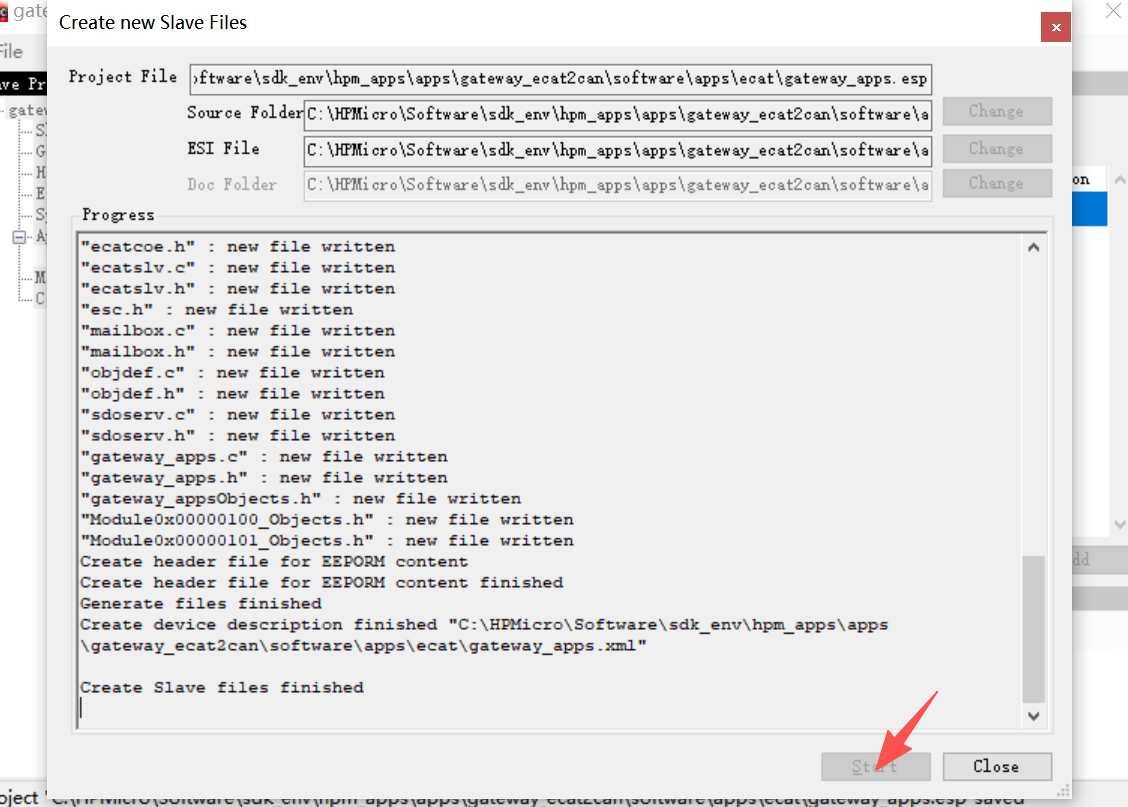
Note: You can directly use gateway_apps.esp, which has been pre-configured with relevant parameters and can generate code directly.
27.3.2.2. B. Project Generation
Generate a Segger project via HPM SDK Project Generator
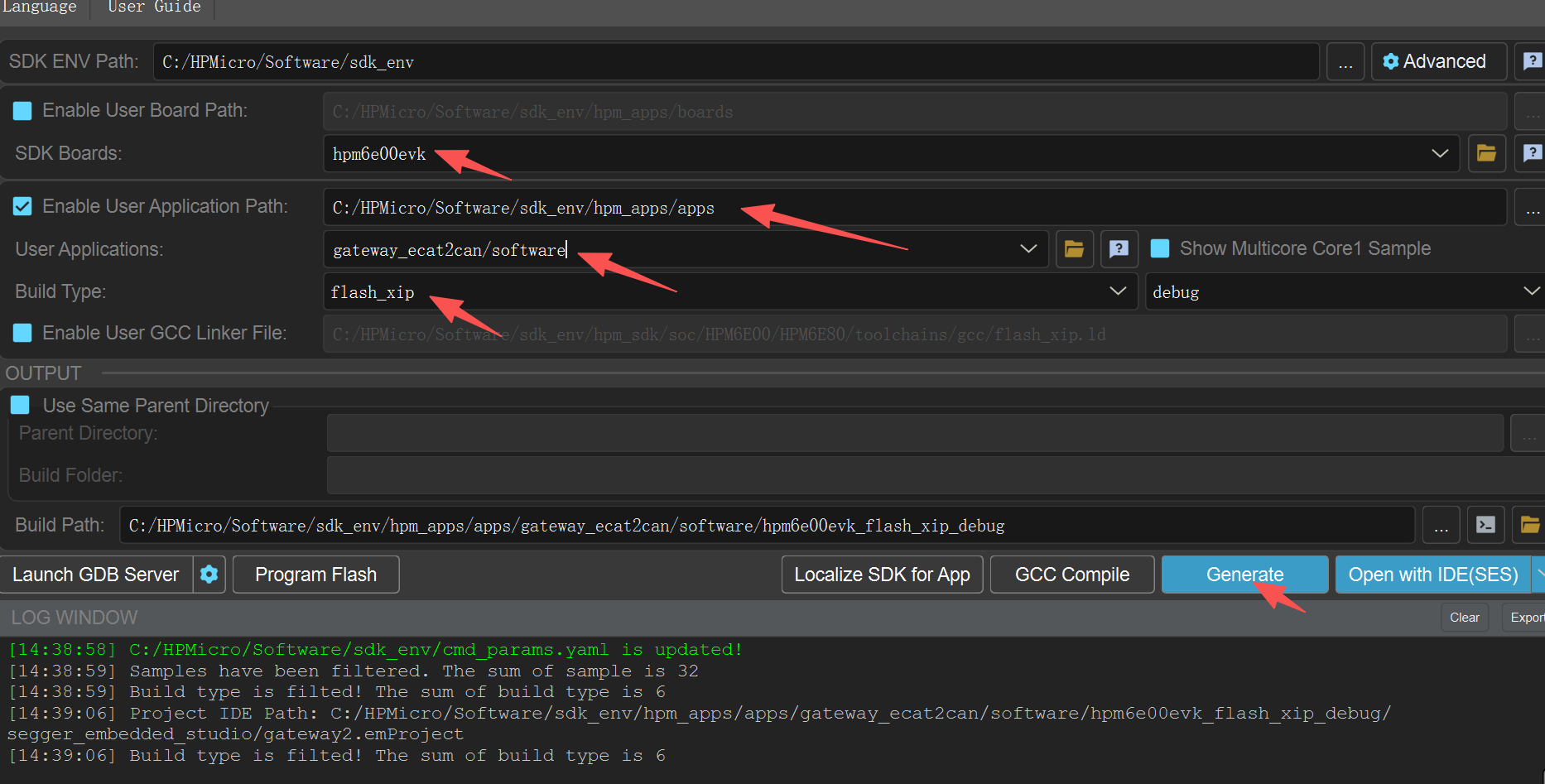
27.3.3. Instructions for Using TwinCAT as the Master Station
Set TwinCAT to OP state.
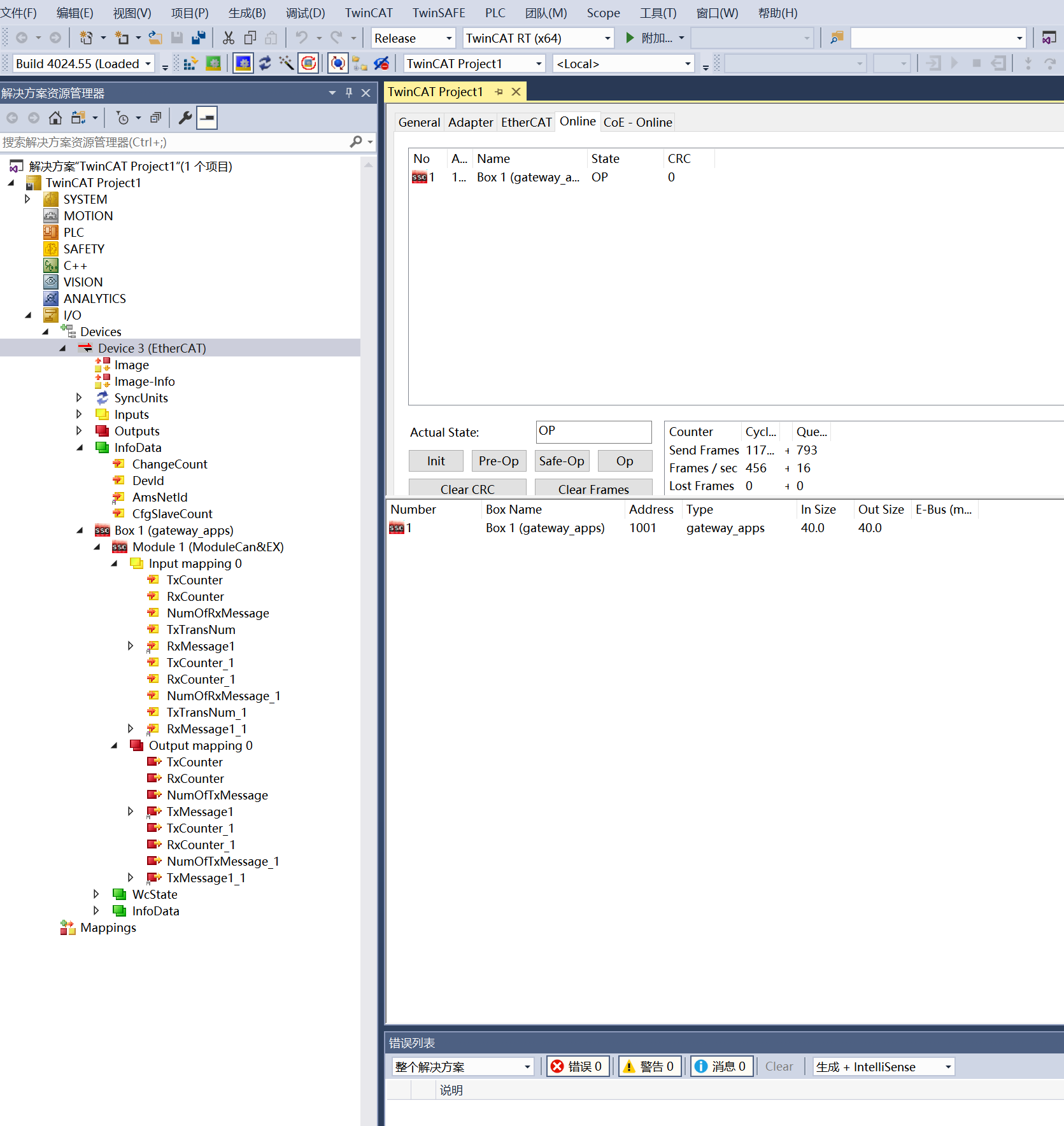 According to the ETG 5001.5000 protocol, RxMessage_1 is used to receive standard CAN frames, TxMessage_1 is used to send standard CAN frames, RxMessage1_1 is used to receive extended CAN frames, and TxMessage1_1 is used to send extended CAN frames.
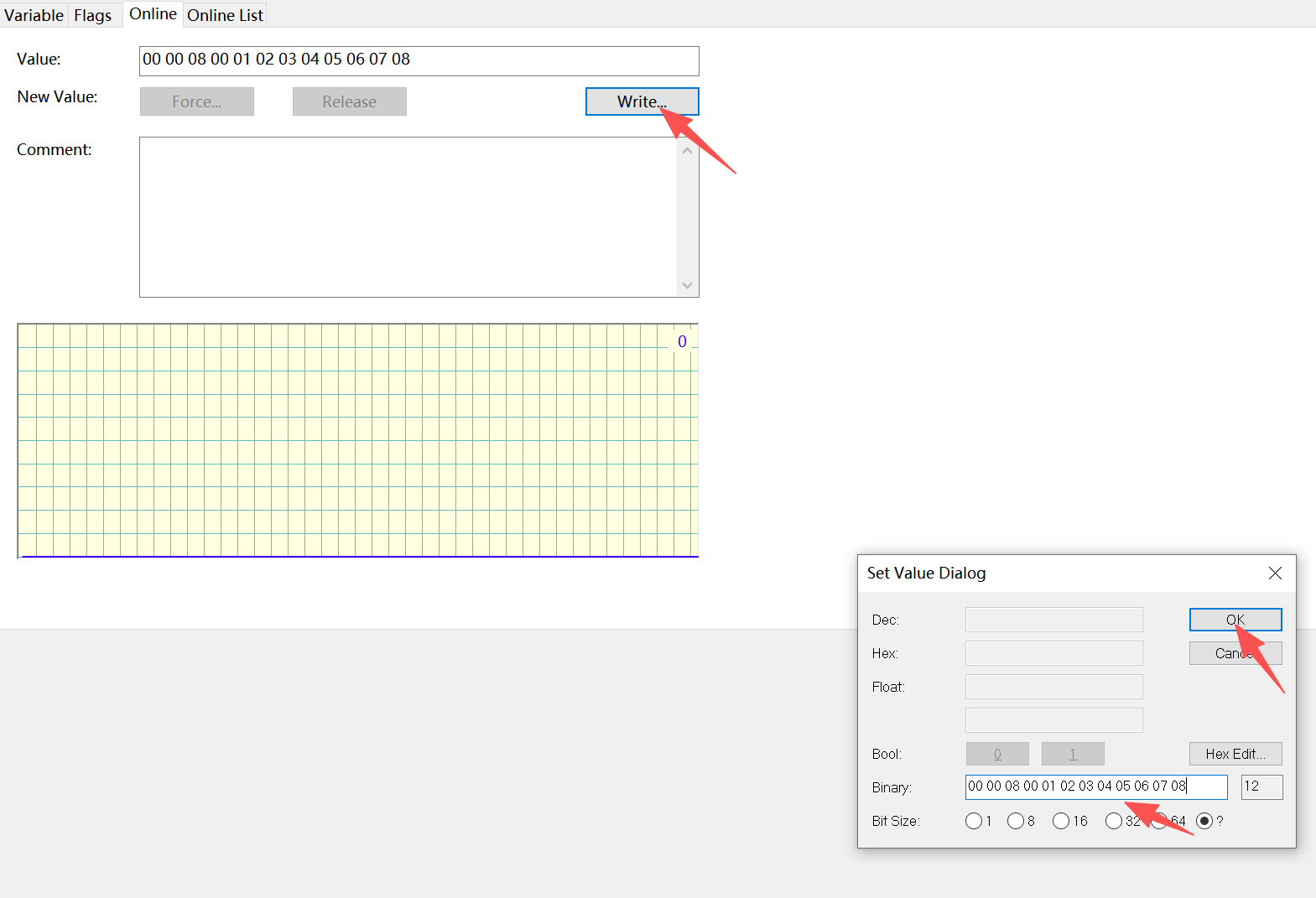
Send a standard CAN frame: write to TxMessage_1, e.g., send 1 2 3 4 5 6 7 8 standard CAN frame id=0
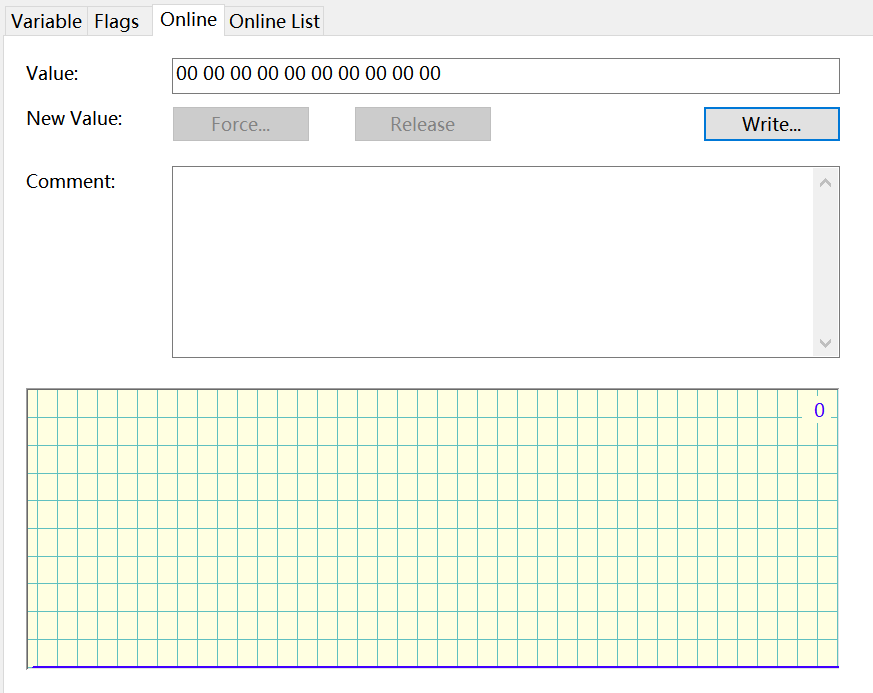
Receive a standard CAN frame: read RxMessage_1
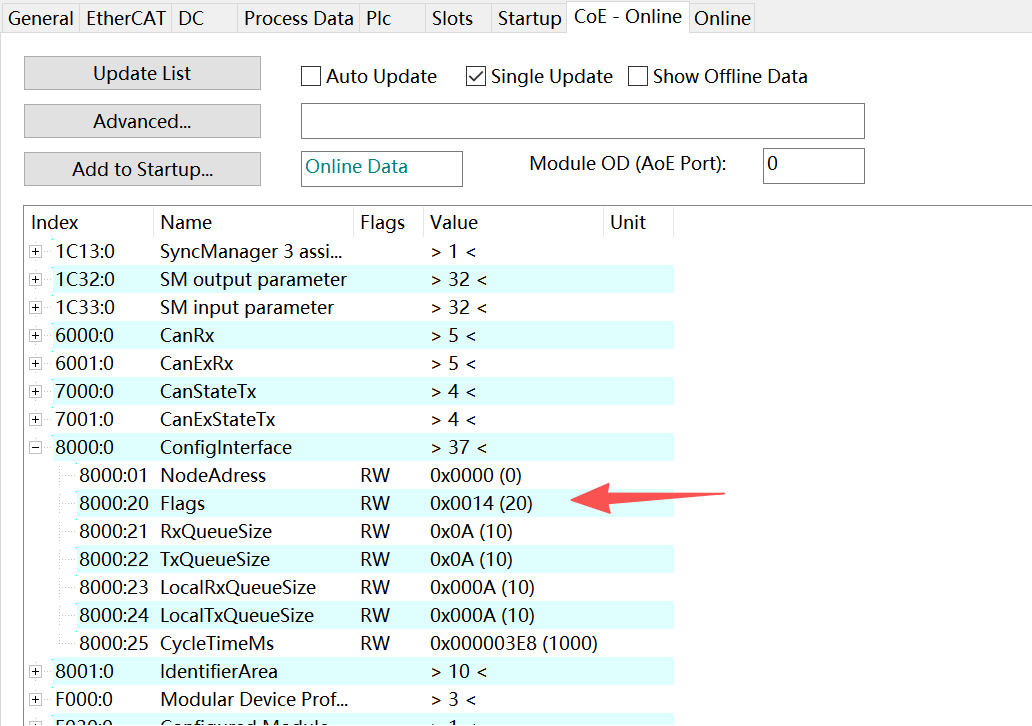
Transmission via Trigger Mode When writing to TxMessage_1, set bit4 of sub-index 32 at index 0x8000 to 1 to enable TriggerMode. Each time bit2 is set to 1, a frame is sent.
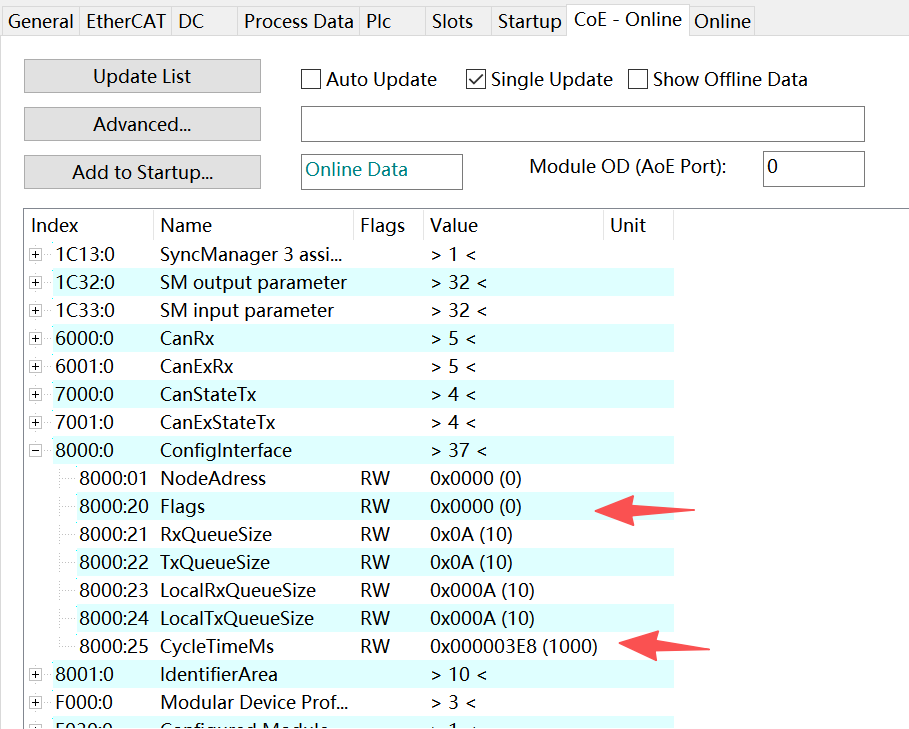
Transmission via Cycle Mode After writing to TxMessage_1, set bit4 of sub-index 32 at index 0x8000 to 0 to enable CycleMode. The cycle time is determined by the value of sub-index 37.
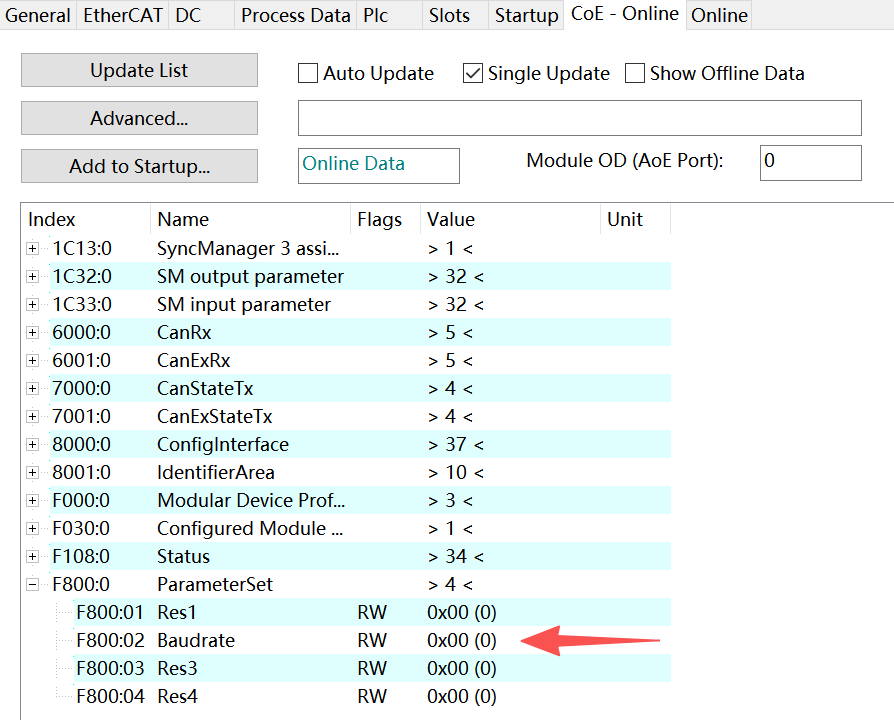
Configure CAN Parameters Write to sub-index 2 at index 0xF800 to set the CAN baud rate.
 Note: Switch the slave device to PREOP state before configuring COE.
Correspondence between values and baud rates
Note: Switch the slave device to PREOP state before configuring COE.
Correspondence between values and baud rates
            switch (ParameterSet0xF800.Baudrate)
            {
                case 0: //1M
                mq_msg.param = 1000000;
                break;
                case 1: //800k
                mq_msg.param = 800000;
                break;
                case 2: //500k
                mq_msg.param = 500000;
                break;
                case 3: //250k
                mq_msg.param = 250000;
                break;
                case 4: //125k
                mq_msg.param = 125000;
                break;
                case 5: //100k
                mq_msg.param = 100000;
                break;
                case 6: //50k
                mq_msg.param = 50000;
                break;
                case 7: //20k
                mq_msg.param = 20000;
                break;
                case 8: //10k
                mq_msg.param = 10000;
                break;
                case 255: //defined in bustiming register
                mq_msg.param = 255;
                break;
                default:
                mq_msg.param = 1000000;
                break;
            }